
Ticketing
Tickets that follow your venue’s own rules.
Prices change by weekday or holiday, discounts apply, and some visits need a booked time. Sell and check in tickets — whatever your conditions — in one system.
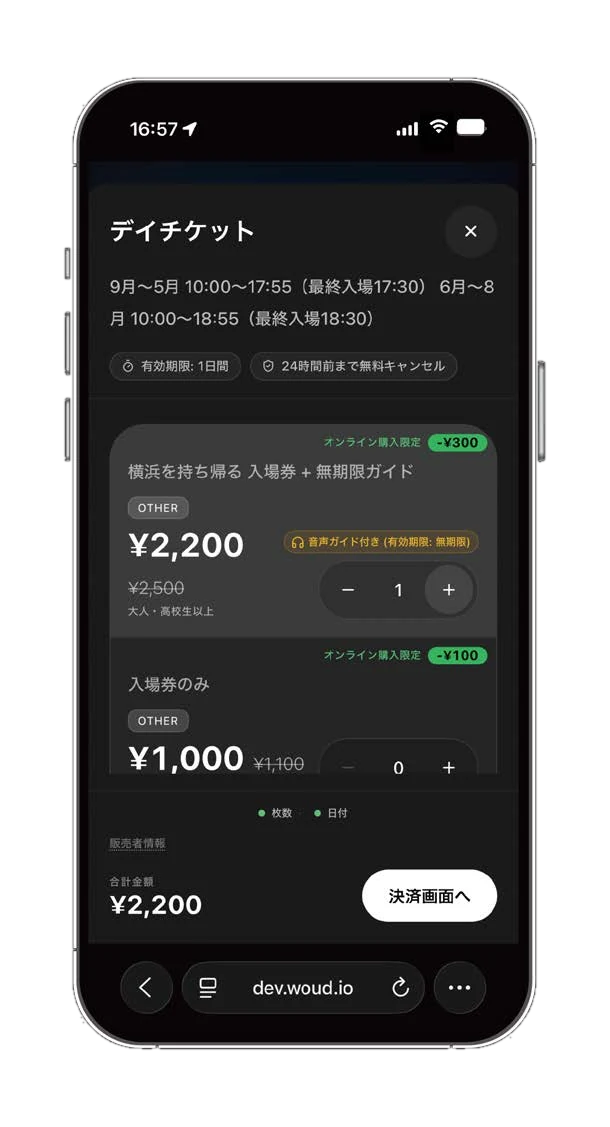
Screens are illustrative.
Ticket conditions
Ticket types and categories
Offer several ticket types, with pricing categories such as age ranges.
Prices that change by date
Switch prices by day of week, holiday (country-aware), or date range.
Discounts
Group discounts (percentage by party size, per ticket type or across the purchase), disability discounts, promo codes, online-only discounts and annual-pass renewal.
Booking and capacity
Choose no booking, date booking, or date-and-time (time-slot) booking, and set capacity per slot and per day.
Venue calendar
Manage closed days, weekly closures, sold-out days, holiday-price days and special event days on a calendar.
Sales windows and cancellation
Set when tickets can be bought and booked, and define a cancellation policy.
Bundles with the guide
Sell the ticket alone, the ticket with a one-day guide, or the ticket with an unlimited guide.
Checking people in (QR scan or button)
Choose how to check people in: scan the QR, or check the ticket by eye and press a button. The check-in screen needs no app install — open a dedicated URL on the venue’s tablet or smartphone.
QR scan
Read the ticket’s QR with the camera and see the result as a large color and sound.
Visual check with a button
Staff look at the ticket on the visitor’s screen and press a button to record the tear-off. No camera needed.
Choose what fits
Pick QR scanning or the button check to suit your operation and how busy it gets.
History and staff view
Shows recent scans and a staff guidance view.
Counter sales
Selling and issuing tickets at the counter is supported too.
Member entry codes
Member entry codes are supported.
Frequently asked questions
- Is check-in an app?
- It is a screen that runs in the browser — nothing to install. QR scanning needs a device with a camera; the button check needs a device where staff can see the ticket and press the button. Both need a connection.
- Does it work without internet?
- No. A connection is needed; each QR scan and each button check is recorded over the network.
- What about payment?
- Online payment is supported.
More features
- Donations and crowdfundingDonations from inside the guide, right when visitors are moved. Crowdfunding is coming soon.Read more
- Guide productionFrom chapter outline to manuscript, proofreading, audio and misreading checks — people and AI in one flow.Read more
- Tourism map and hazard mapA flat monthly fee with no per-view charges: hazard maps, shelters, weather and alerts in one map.Read more